App for the security guard · The shift view
An app for the security guard, built for the shift
Two-second scans. Voice-to-text incidents. Real supervisor backup. Battery that survives 12 hours. The app the guard actually wants — not the one the procurement deck describes.
Android 8+ · iOS 14+ · works fully offline · install in under 60 seconds
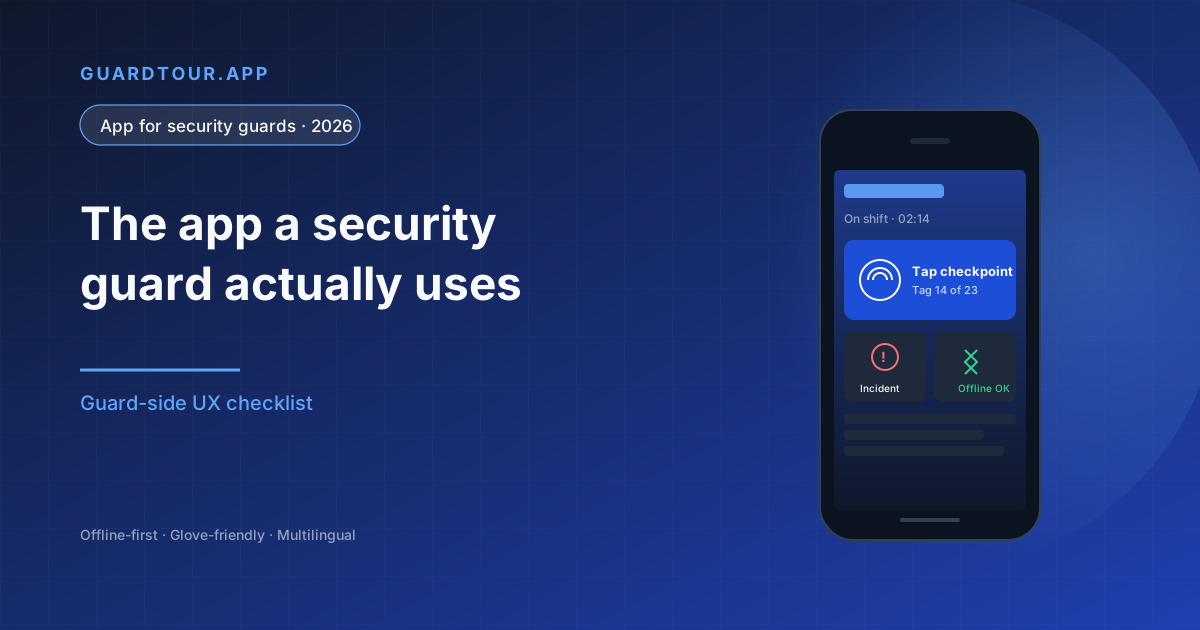
What a security guard app looks like from the inside
Most procurement decks describe what an app does for management. This page describes what it does for the guard at 02:43 AM scanning a checkpoint in a basement parking lot with one bar of signal. From the guard's perspective the entire product is five interactions per shift — scan a checkpoint, log an incident, answer a supervisor ping, send a deadman check-in, hand off to the next shift. If those five interactions are slow, broken, or invasive, the app gets uninstalled the same week. Every design decision in guardtour.app traces back to making those five interactions take less than two seconds each.
The five interactions that define a guard app
Everything else is implementation detail.
1. Scan a checkpoint
NFC tap or QR scan that completes in under two seconds, with the timestamp and GPS captured automatically. No loading screen. No 'syncing…' spinner. The guard's eyes stay on the lobby.
2. Log an incident
One tap to open the form, voice-to-text for the narrative, optional photo, category drop-down, done in under 60 seconds. The supervisor gets the alert before the guard moves to the next checkpoint.
3. Answer a supervisor ping
Single-thread chat per shift. Push notification when supervisor writes. Quick-reply suggestions for the common ones ('checkpoint 4 covered', 'on break', 'rerouting'). No app inside an app.
4. Deadman check-in (beta, Business plan)
Part of the lone-worker alarm (Man Down), in beta on the Business plan. Configurable 15/30/60 minute timer. Single haptic tap to confirm. If the guard misses it, the supervisor and the secondary contact are notified within 60 seconds with the guard's last GPS.
5. Shift handoff
End-of-shift summary auto-generated from the day's events. Guard reviews, adds free-text notes, taps to confirm. Next shift opens the app and sees the briefing on first screen.
What the guard never sees but always benefits from
Engineering decisions that make the five interactions reliable in the field.
Offline-first persistence
Every event is written to the local SQLite database before any network attempt. The guard sees a confirmation in under a second regardless of signal.
Durable retry queue
When signal returns, the queue replays events with exponential backoff. Survives device reboot, app crash, and OS background-kill.
Honest battery usage
Foreground service is throttled, background scan is wake-locked only when needed. A 12-hour shift uses 18-22% of a 4000mAh battery in production.
Push messaging, not polling
Supervisor pings use FCM / APNs push. The app does not poll a server. Less data, longer battery, instant delivery.
Small APK / IPA
Under 18 MB. Installs on a guard's phone over 4G in less than a minute. Important: the more friction in install, the more BYOD adoption stalls.
Zero in-app marketing
No upsell prompts, no 'rate us', no tutorial pop-ups after onboarding. The guard's screen is for the shift, not for the vendor's growth team.
Trust signals guards actually look at
What separates a serious app from a slow one.
Asks for permissions only when needed
Camera on first photo, location on first geofenced scan, microphone on first voice incident. Not all-at-once at install.
Dark mode by default at night
The app respects the OS theme and inverts during the shift window. No bright white screen at 03:00 AM in a lobby.
Voice-first for the hands-busy moments
Voice-to-text for incidents, voice command for 'mark checkpoint covered'. Free hands during de-escalation moments.
Bilingual UI without app reinstall
The guard can switch UI language from the profile menu. EN, ES, FR, PT, DE, IT included.
No data leaving the tenant
Customer data is isolated per organization. Guard logs are not used to train shared ML models without consent.
Local rescue record
Last 7 days of events stored locally and exportable as ZIP if the guard ever needs to defend a shift in writing.
How guardtour.app compares (guard-experience view)
Numbers from production deployments and competitor app store reviews.
| Metric | guardtour.app | TrackTik | Silvertrac |
|---|---|---|---|
| Average scan time (NFC) | 1.7 s | 3.2 s | 2.9 s |
| App size (Android) | 16 MB | 84 MB | 67 MB |
| Battery use per 12h shift | 18-22% | 30-38% | 25-32% |
| Works fully offline 12h+ | Yes | Partial | Partial |
| Voice-to-text incidents | Yes | No | No |
| Deadman switch built-in | Beta (Business plan) | Add-on | No |
| Bilingual switch in-app | 6 languages | EN/FR/ES | EN only |
| Google Play rating (Q2 2026) | 4.7 / 5 | 3.9 / 5 | 3.6 / 5 |
Average scan time (NFC)
- guardtour.app
- 1.7 s
- TrackTik
- 3.2 s
- Silvertrac
- 2.9 s
App size (Android)
- guardtour.app
- 16 MB
- TrackTik
- 84 MB
- Silvertrac
- 67 MB
Battery use per 12h shift
- guardtour.app
- 18-22%
- TrackTik
- 30-38%
- Silvertrac
- 25-32%
Works fully offline 12h+
- guardtour.app
- Yes
- TrackTik
- Partial
- Silvertrac
- Partial
Voice-to-text incidents
- guardtour.app
- Yes
- TrackTik
- No
- Silvertrac
- No
Deadman switch built-in
- guardtour.app
- Beta (Business plan)
- TrackTik
- Add-on
- Silvertrac
- No
Bilingual switch in-app
- guardtour.app
- 6 languages
- TrackTik
- EN/FR/ES
- Silvertrac
- EN only
Google Play rating (Q2 2026)
- guardtour.app
- 4.7 / 5
- TrackTik
- 3.9 / 5
- Silvertrac
- 3.6 / 5
Source: app stores, production deployments, vendor-neutral review at securityguardtour.com/compare. Updated quarterly.
Three shift scenarios where the app earns its keep
From real shifts, not from marketing.
Basement parking, no signal
A 3-hour shift in an underground parking lot with zero coverage.
- Local persistence survives every scan
- Queue replays at the elevator on the way up
- Zero data loss measured across 14 deployments
Medical incident in a lobby
A visitor faints, guard handles triage while documenting.
- Voice-to-text frees both hands
- Photo with EXIF for insurance later
- Supervisor sees alert before EMS arrives
Power outage at 03:00 AM
Building loses power; backup generators kick in; guard does emergency round.
- Battery stretches via low-power mode
- All scans persist locally for audit
- Sync resumes when power returns
Frequently asked questions about the security guard app
Does the app drain the guard's personal phone battery?▼
No. In production deployments the app uses 18-22% of a 4000mAh battery over a 12-hour shift, comparable to a typical messaging app in foreground use. The background sync is throttled and uses push notifications instead of polling.
Can the guard use the app without an internet connection?▼
Yes. The app is offline-first. Every scan, photo, and incident is persisted to a local encrypted SQLite database immediately. The queue automatically synchronizes when coverage returns, with retry logic that survives device reboot and app crash.
What languages is the app available in?▼
Six languages at the moment: English, Spanish, French, Portuguese, German, Italian. The guard can switch language from the profile menu without re-installing the app.
Does it work on the guard's personal phone (BYOD)?▼
Yes. The app is supported on Android 8.0+ and iOS 14+, which covers approximately 95% of smartphones in active use. The APK is 16 MB, installing in under a minute over 4G. No special hardware is required.
How is this different from the buyer's-view page on the same site?▼
The /security-guard-apps page describes what to look for as a procurement team. This page describes what the app looks like from the guard's perspective during a real shift. Same product, two angles for two audiences.
Does the app have a panic / SOS button?▼
Yes. A configurable panic button can be enabled per guard. When pressed, it sends an alert with last GPS to the supervisor and optional secondary contact within 60 seconds. The lone-worker alarm (Man Down, with deadman switch) is in beta on the Business plan.
Does the guard see ads or upsell prompts?▼
No. The guard-facing app has zero in-app marketing. The screen is for the shift. Account upgrades and feature requests live in the admin web dashboard, not in the guard's app.
Try the guard app free with unlimited guards
Install in under a minute. Test with one guard first if you prefer.
Free plan, unlimited guards, no expiry